
Bring Gobii AI agents into Discord channels
Gobii's Discord integration connects persistent AI agents to selected server channels through a nine-step setup with scoped permissions and file support.
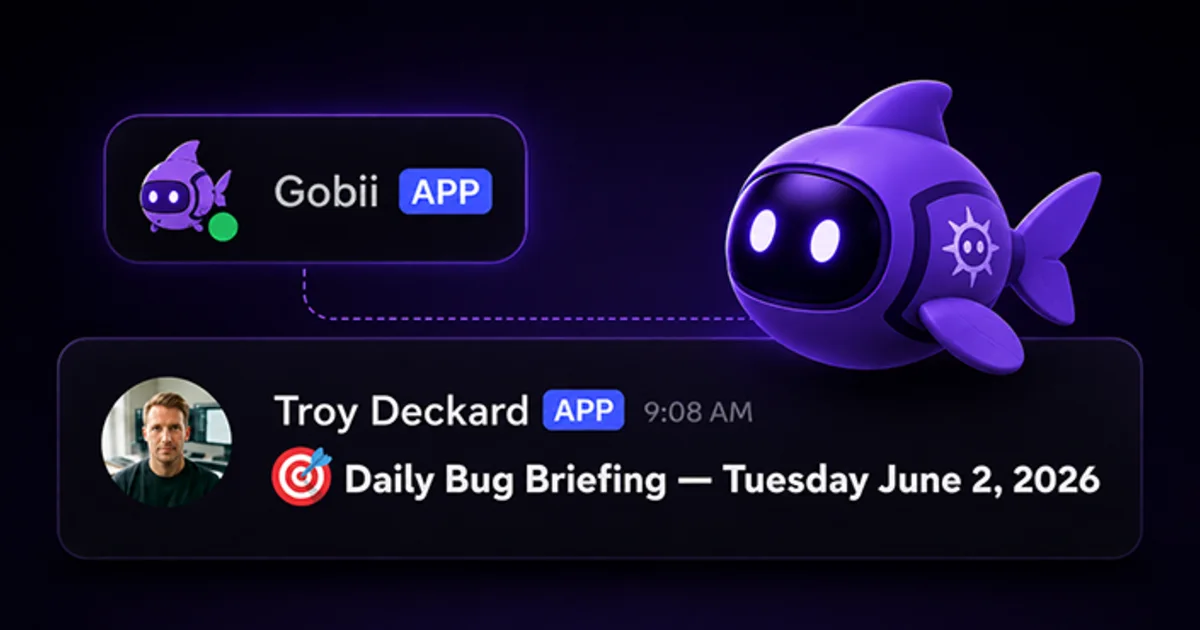
Team work often reaches an AI agent through chat.
Bug screenshots land in engineering channels, research links pile up in project rooms, and support teams discuss one issue across several messages. A Discord AI agent can join that flow without forcing everyone into another tab.
Gobii connects a persistent agent to selected Discord server channels. New channel messages can wake the agent, add context to its timeline, and support a reply in the same place. This is a focused channel integration, not a blanket view of the whole server. For broader SaaS connections, see one-click integrations for AI agents.
Key Takeaways
- Chosen Discord channels can wake one persistent agent.
- Setup starts in chat and follows nine documented steps, from the first secure link to a small channel test.
- Messages can carry screenshots, files, and links; replies may include files too.
- Treat every channel as a scope boundary. Begin with one quiet room, give the agent a narrow job, inspect its early replies, and require approval before it changes another system.
What Is a Discord AI Agent Integration?
A Discord AI agent integration is a link between one persistent agent and the server channels you choose. Gobii lists five core jobs: read new messages, reply in the room, follow team context, use shared files and images, and save Discord events in the agent timeline (Gobii, Discord, 2026).
Unlike a one-way alert bot, this agent brings its charter, files, tools, and history into the room. Fresh posts can activate it. Incoming text does not replace its job or rules. Instead, the channel supplies current facts while the agent's standing instructions say whether to summarize them, write a draft, research a question, use an allowed tool, or stop for approval. This separation matters because several participants may speak in the same Discord room, and requests can shift minute by minute. Subscription choice sets the boundary. Only subscribed rooms should awaken the agent. The current native flow focuses on server channels, not direct messages, blanket server access, or mention-only routing. Such restraint makes the agent's role easier to explain, test, and audit.
How Do You Connect a Gobii Agent to Discord?
The Gobii guide's nine setup actions, from asking for a secure link to sending a test message, condense into five phases below. The bot installer needs Manage Server rights (Gobii, Discord, 2026).
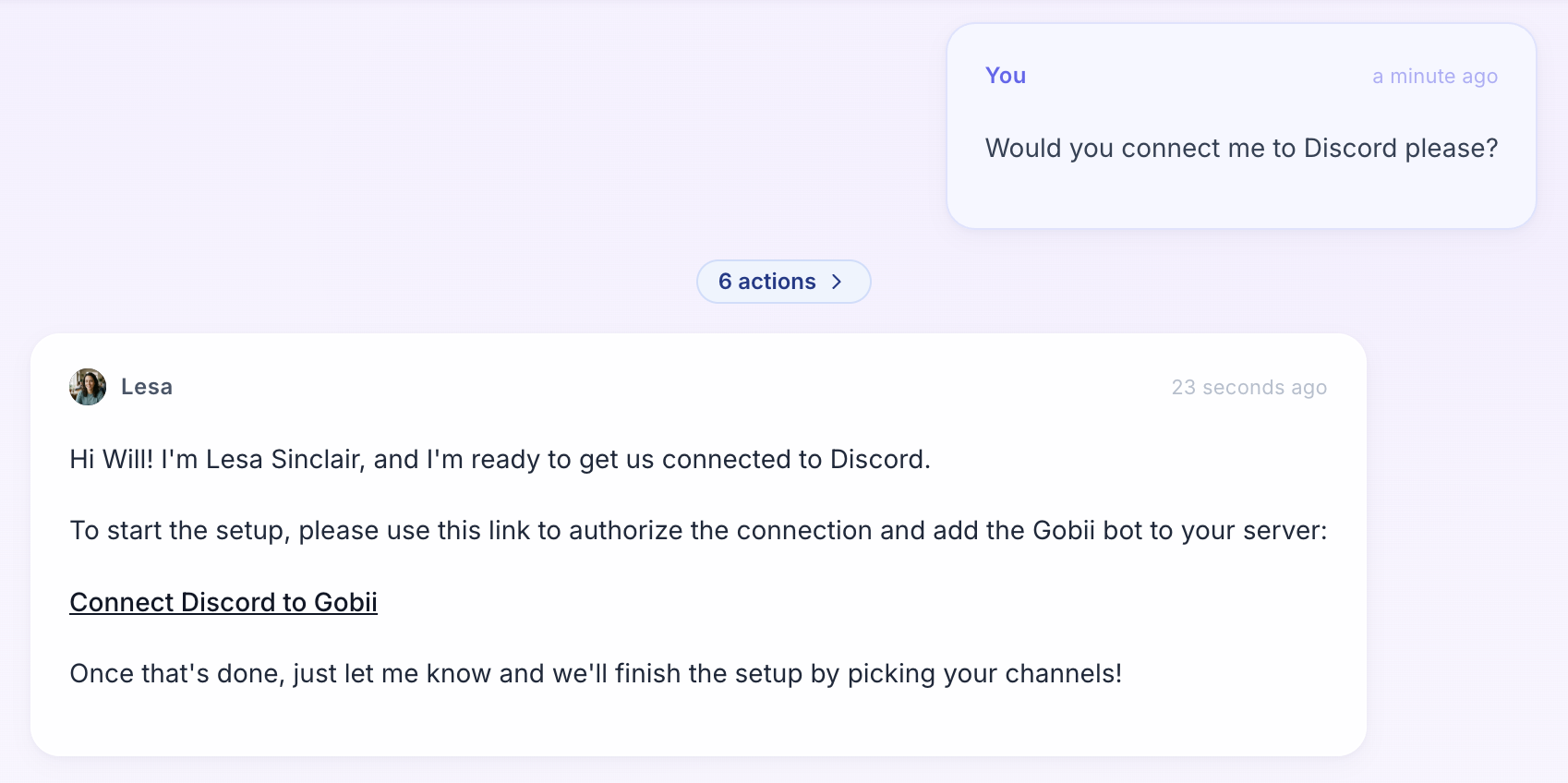
- Ask the agent to connect. It returns one secure Discord setup link.
- Open that link and choose a server. Discord shows the Gobii app, requested access, and server picker. Continue only when the server and permissions match the job you have in mind.
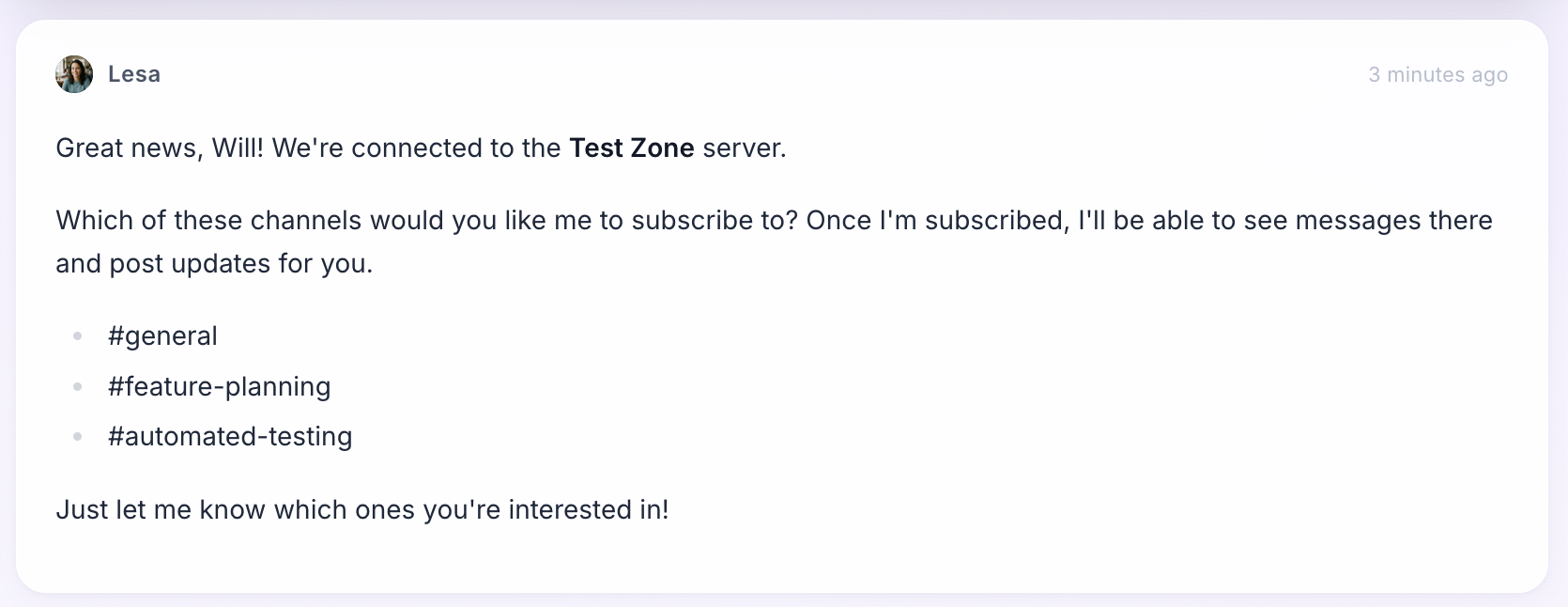
- Return to Gobii. The agent finds servers tied to the new connection and lists the rooms visible to the bot.
- Pick the channels. Save only the rooms that should wake this agent.
- Send a small test message. Check the web timeline, confirm any reply lands in the right Discord room, and fix the scope before you add tools or more channels.
Can't see the server? Check the signed-in Discord account, then confirm you hold Manage Server permission for that specific server.
An empty channel list often means the bot cannot view those rooms; fix its rights and try again.
The agent can also list its current subscriptions so you can spot a wrong or duplicate room before it starts work.
What Can an AI Agent Do in Discord?
Inside a subscribed room, Gobii lists five useful jobs. The agent can read messages, reply through the bot, use its own name and avatar, work with shared context and media, and attach files where supported (Gobii, Discord, 2026).
| Discord capability | What it means for the team |
|---|---|
| Receive selected channel messages | New discussion can wake the agent without a manual copy and paste |
| Reply in channel | The response returns to the room where the request began |
| Use agent identity | Webhook replies can show the agent's name and avatar |
| Read shared context | Messages, links, screenshots, images, and files can inform the task |
| Keep timeline history | Owners can inspect Discord events and agent activity from the web app |
Rights are exact. Discord uses VIEW_CHANNEL and READ_MESSAGE_HISTORY for room access and older posts, while common reply rights include SEND_MESSAGES, EMBED_LINKS, and ATTACH_FILES (Discord, Permissions, 2026). Without the needed right, the bot cannot finish that part of the job.
The same attachment model extends beyond Discord. For workflows that begin in web chat or email, see how Gobii agents read and create files.
While building the native Discord flow, we split server access from each agent's channel list. That was deliberate. The server owner can add the bot once, but each agent still gets only the rooms picked for its job. During diagnosis, the two records distinguish authorization failures from subscription mistakes. That shortens recovery and avoids a full reconnect. The same split helps during cleanup because a team can remove one agent's room without tearing down Discord for every other agent owned by that team. Ownership changes are less risky too.
Discord AI Agent Workflows for Real Teams
The Gobii guide names four good patterns: project work, support triage, research collection, and QA or engineering review. Each role is narrow. Each also receives a steady stream of useful context (Gobii, Discord, 2026).
Engineering and QA triage
A teammate drops a screenshot and reproduction notes into #bug-reports.
The first output is a draft. The agent reads the image, sums up the likely issue, and prepares the ticket text; if a tracker is connected, it waits for approval before creating or changing a record.
Support-room summaries
Support teams can use an agent to group related reports and draft a concise handoff. Earlier account or policy context can remain in the agent's timeline, while the Discord channel supplies the newest symptoms. Keep customer-facing replies behind a review step.
Research collection
Links and files posted to a research room can feed a daily brief, where the agent removes repeats, compares sources, and returns one short summary instead of interrupting every message. A clear schedule keeps a busy channel from starting too much work.
Project and launch updates
Project channels often contain decisions, blockers, and status changes. An agent can prepare a weekly update from that material, then post only after a project owner approves the final wording. Put stable tone and escalation rules in Custom Instructions rather than repeating them in every Discord message.
How Should You Scope Discord Permissions and Safety?
Discord has separate rights for viewing rooms, reading history, sending messages, showing links, and attaching files; Gobii adds one more control by letting only selected channels wake a given agent (Discord, Permissions, 2026; Gobii, Discord, 2026).
Use the smallest useful scope:
- Start with one quiet room. Give the agent one clear job.
- Separate listening from acting. It may write a private summary at once while waiting for approval before announcements, customer replies, or changes in another system.
- Match the rights to the job. A read-only summary does not need every send, link, or file permission.
- Review all connected tools. A busy shared room should not wake an agent with broad CRM, issue-tracker, browser, or email write access unless its charter and approval rules make that reach intentional and easy to audit.
- Remove stale subscriptions. Disable a room when the project ends, check the active list after team changes, and disconnect the server when no agent should use it.
Run a controlled pilot. Document the server, room, owner, purpose, allowed tools, reviewer, removal date, and rollback step in one audit note before anyone tests the connection. Try four inputs: plain text, a link, an image, and a small file. Then inspect the timeline. Make sure each response reaches the intended destination, carries the right display name, preserves attachment quality, and stops wherever approval is mandatory. Confusing evidence means the scope is still too broad. Repeat after roles, permissions, or staffing change.
For a regulated workflow, add the data provenance, consent, retention, revocation, confidentiality class, incident route, and attachment-integrity rule. Preserve evidence of each test with the date and charter version so an auditor can tell which controls were active. The highest-risk permission is not always a Discord permission. It may be the CRM, issue tracker, browser session, or other tool the agent can use after a Discord message wakes it. Review the full chain from channel input to external side effect, the same way you would when sandboxing AI agents in production.
Choosing Between Discord and Other Agent Integration Surfaces
Gobii lists six ways to reach an agent: web chat, email, SMS/MMS, app channels such as Discord, inbound webhooks, and Remote MCP. Choose based on where the work starts and who needs the result (Gobii, Channels and Contacts, 2026). The right entry point keeps setup small.
| When work should begin | Use this surface | Why |
|---|---|---|
| A team conversation happens in a selected server channel | Discord integration | Bring the message and shared media into one persistent agent's timeline |
| A CRM, form, or internal service emits an event | Inbound webhook | Wake an existing agent with a direct HTTP payload |
| A supported SaaS tool needs direct access | App integration | Authorize the service and expose its supported tools or events |
| Claude, Codex, or another AI client operates Gobii | Remote MCP | Let an MCP client manage or message persistent agents |
| Your own product manages agent lifecycle | AI Agent API | Create, configure, message, schedule, and inspect agents programmatically |
Discord's own developer guidance draws a useful boundary: incoming webhooks work well for one-way posts, while a bot is a better fit when an application must listen and respond (Discord, Webhooks, 2026). Gobii uses the bot-based pattern for selected two-way channel workflows.
Can a Gobii agent see every channel in my Discord server?
No. You choose which server channels should wake a specific Gobii. The bot must also have permission to view each selected channel. Channels that are not subscribed should not send messages to that agent or become part of its working context.
Can a Discord AI agent work with images and files?
Yes. Messages from subscribed channels can include images, screenshots, files, and links. A Gobii can use those items as task context and can attach files when replying where the channel permissions and current integration support it.
Does the Gobii Discord integration support direct messages?
The current native flow serves selected server channels, not direct messages, blanket server access, or mention-only routing; keep the agent in rooms where its job is clear, narrow, and easy to review.
What Discord permissions are required?
The person who adds the bot needs Manage Server permission. Room rights then control what the bot can see and send. Depending on the job, it may need View Channel, Read Message History, Send Messages, Embed Links, or Attach Files.
Sources
- Discord, Gobii setup guide. Retrieved July 16, 2026.
- Channels and Contacts, Gobii's map of six agent communication paths and safe channel setup. Retrieved July 16, 2026.
- Permissions, Discord's full reference for server roles, room overrides, thread inheritance, view and send access, link embeds, files, and message history. Retrieved July 16, 2026.
- Webhooks, Discord guidance on when a one-way webhook is enough and when a listening bot is the better fit. Retrieved July 16, 2026.
About the Author
Will Bonde works across Growth & Engineering at Gobii, where he helps shape the platform and how its persistent agents communicate through channels and connected tools. Meet Will and the rest of the Gobii team.