
Remote MCP Server for Persistent AI Agents
Gobii Remote MCP exposes 16 tools for creating, messaging, coordinating, debugging, and working with files and resources from compatible clients.
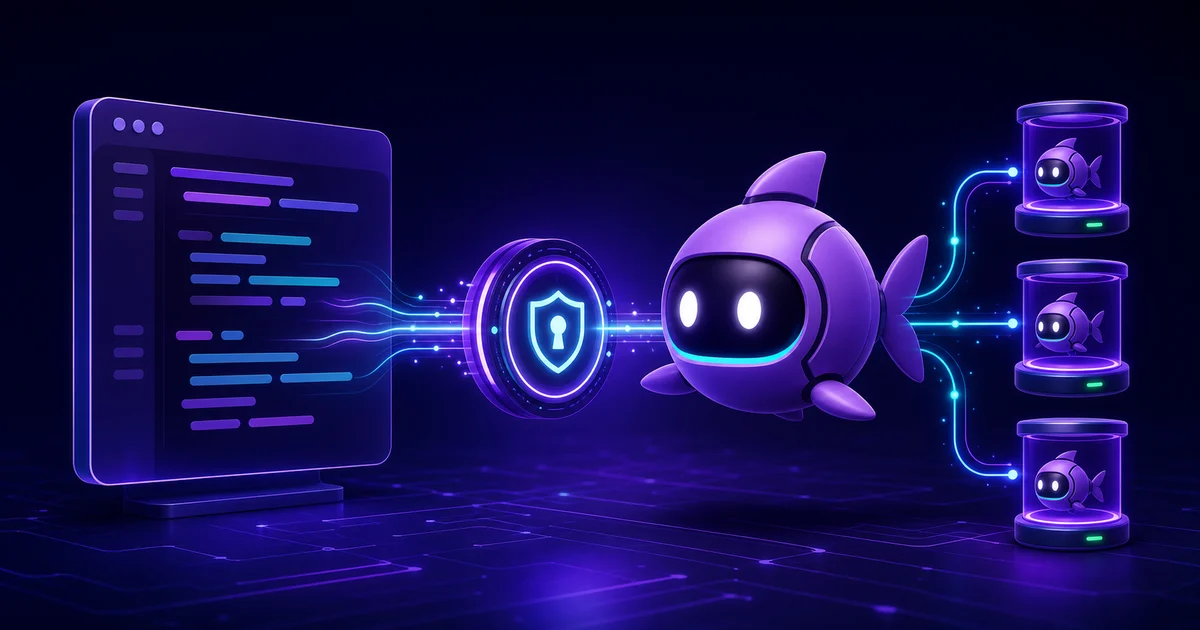
Persistent AI agents are most useful inside the tools where work already happens. Remote MCP provides that bridge. An external AI client can discover available operations and direct long-lived workers without replacing their timelines, files, schedules, or standing instructions.
This is a different flow from adding an MCP server to a Gobii. Connected MCP servers give a Gobii access to outside tools. Remote MCP turns Gobii into the server, so Claude Code, Codex, Hermes, or an internal MCP client can manage and message Gobii agents.
Key takeaways
- Remote MCP launched with 15 tools and now exposes 16.
- Traffic runs from an outside AI client into Gobii, the reverse of a Gobii consuming a connected MCP server.
- Protect the scoped API key for lifecycle, coordination, messaging, timelines, debugging, and files in an environment variable or managed secret store.
What Is a Remote MCP Server?
Remote MCP servers are network endpoints that expose tools to compatible clients. As of August 2026, Gobii's endpoint provides 16 tools for operating persistent AI agents through one authenticated connection (Gobii, Remote MCP, retrieved August 1, 2026).
The Model Context Protocol standardizes client-server exchanges. It covers tools, resources, prompts, and related capabilities. This implementation focuses on tools and authenticated file resources: callers discover the operations their credentials permit, then invoke them through JSON-RPC messages or read returned resource links. Persistence is the anchor. An agent's charter, schedule, apps, files, peer links, and history all remain in Gobii. Rather than copying a worker into the caller, the endpoint provides a controlled route to it.
How Does Gobii Remote MCP Work?
At https://gobii.ai/api/v1/mcp/, Gobii implements the MCP 2025-11-25 JSON-RPC flow over Streamable HTTP. Each client message is a new HTTP POST; requests can return JSON, while notifications receive 202 Accepted (Gobii, Remote MCP endpoint, retrieved July 18, 2026).
Four steps define the exchange:
- Connect to the endpoint with an API key.
- Initialize MCP, then call
tools/listto discover the operations allowed by that credential. - Invoke the selected tool, perhaps
gobii_list_agents,gobii_send_agent_message, orgobii_get_agent_timeline, with its documented arguments. - Before returning a result, Gobii applies ownership, detailed input validation, lifecycle constraints, credit policy, and permission rules to the requested action.
This isn't a second task system. Timeline reads use durable cursors, and the wait tool can poll for matching events after a known position. For example, a coding agent can delegate research, continue working locally, then return when the Gobii reports fresh activity.
What Can an MCP Client Do With Gobii Agents?
Today, the Remote MCP server exposes 16 tools in four practical groups: six for agent lifecycle and configuration, three for peer links, four for messaging and visibility, and three for files and resources (Gobii, Remote MCP tools, retrieved August 1, 2026).
| Capability | Remote MCP tools | Example use |
|---|---|---|
| Agent lifecycle | gobii_list_agents, gobii_get_agent, gobii_create_agent, gobii_update_agent, gobii_archive_agent, gobii_get_agent_config_options | Create an operations agent, inspect supported configuration, then set its schedule and credit policy. |
| Peer coordination | gobii_list_agent_links, gobii_link_agents, gobii_unlink_agents | Link a research agent to a reporting agent while preserving each worker's timeline. |
| Messaging and visibility | gobii_send_agent_message, gobii_get_agent_timeline, gobii_get_agent_debug_trace, gobii_wait_for_agent_event | Send a brief, wait for a matching event, then inspect the result or sanitized debug context. |
| Files and resources | gobii_read_agent_resource, gobii_list_agent_files, gobii_upload_agent_file | Upload a brief, attach it to a message, list the agent's filespace, and read a returned resource. |
The initial release shipped with 15 tools. gobii_read_agent_resource was added afterward so tool-centric clients can retrieve authenticated gobii:// files and images as native MCP content; clients with resource support can also use resources/read.
During implementation, preserving the timeline mattered more than inventing another run abstraction. Outside callers see discrete tool invocations; the Gobii retains one continuous work history across chat, schedules, files, and peer messages.
Remote MCP and Connected MCP Servers Use Opposite Flows
Official Gobii documentation names two separate MCP concepts. Connected MCP servers let a Gobii call outside tools; Gobii Remote MCP lets an outside AI client call Gobii tools (Gobii, MCP Servers, retrieved July 18, 2026). Their capabilities and trust boundaries differ because traffic moves in opposite directions.
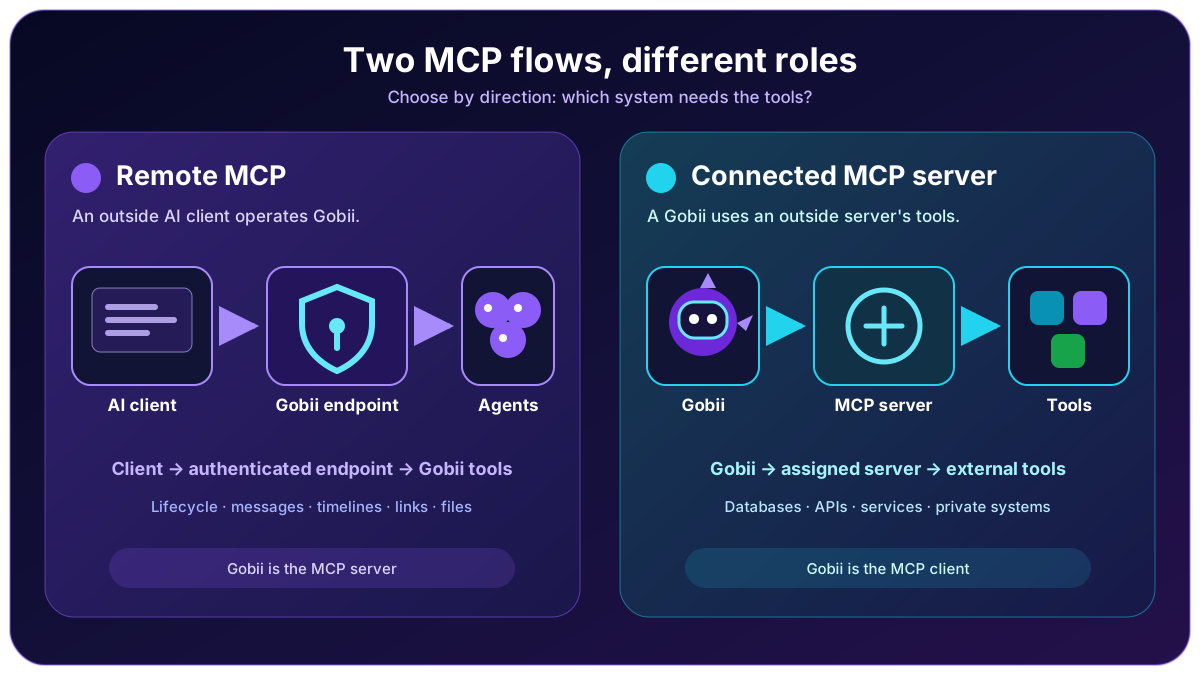
| Direction | Gobii's role | What becomes available |
|---|---|---|
| External client → Gobii Remote MCP | MCP server | Agent management, messaging, timeline, coordination, debug, and file tools become available to the client. |
| Gobii → connected MCP server | MCP client | The connected server's external tools and data become available to an assigned Gobii. |
Direction is the fastest way to choose. If Claude Code needs to operate a Gobii, use Remote MCP. When a Gobii needs an internal database or outside service, connect that service's MCP server instead; our earlier MCP support announcement explains that latter flow in detail.
Remote MCP vs Agent API, Webhooks, and App Integrations
Four developer-facing integration surfaces start work differently. Remote MCP serves an AI client, the Agent API serves application code, webhooks deliver events, and connected apps give an agent provider-specific actions (Gobii, Build With Gobii, retrieved July 18, 2026).
| You need to... | Use | Why |
|---|---|---|
| Let Claude Code, Codex, Hermes, or another MCP client operate Gobii | Remote MCP | The outside AI client discovers and calls Gobii's tools. |
| Build a deterministic application around agent resources | Agent API | REST endpoints create, update, schedule, activate, message, and inspect persistent agents. |
| Wake an existing agent when another system emits an event | Inbound webhook | The source sends fresh event data into one agent's timeline. |
| Let a Gobii work inside a SaaS product | Connected app | The provider becomes an agent tool through its supported authentication and permission model. |
| Give a Gobii tools from another MCP service | Connected MCP server | Gobii consumes that server's external tools as the client. |
Remote MCP and the Agent API overlap in lifecycle operations, yet they serve different callers. Choose REST for deterministic workflows. Choose MCP when an AI client should inspect the available tools and select an appropriate operation from the current instruction. In production, these surfaces can coexist with clear responsibilities; see inbound webhooks for reactive agents and one-click AI agent integrations for the other directions.
How Do You Connect an MCP Client?
Setup needs an endpoint, Streamable HTTP, and an authentication header. Choose either X-Api-Key or Authorization: Bearer; whichever format you use, the key must accompany every request to the production service (Gobii, Remote MCP authentication, retrieved July 18, 2026).
For Hermes, keep the key in the profile environment and reference it from config.yaml:
mcp_servers:
  gobii:
    url: "https://gobii.ai/api/v1/mcp/"
    headers:
      Authorization: "Bearer ${GOBII_API_KEY}"
    timeout: 60
    connect_timeout: 10
    tools:
      include:
        - gobii_list_agents
        - gobii_get_agent
        - gobii_send_agent_message
        - gobii_get_agent_timeline
        - gobii_wait_for_agent_event
That allowlist is intentionally narrow. Add lifecycle, peer-link, file, or debug operations only when needed. Hermes supports a remote url, request headers, timeouts, and include or exclude policies (Hermes Agent, MCP Config Reference, retrieved July 18, 2026). Configuration syntax varies. Claude Code supports remote HTTP servers and custom authentication headers (Anthropic, Connect Claude Code to tools via MCP, retrieved July 18, 2026). Follow the client's current instructions while keeping the endpoint and credential rules unchanged.
Test with a read-only sequence first:
- List agents in the owner scope.
- Retrieve one known worker and confirm its identity.
- Read its timeline.
- Only then, send a narrowly framed message after every prior check returns the intended worker and expected history.
- Preserve the returned cursor before waiting for new activity.
How Should You Protect API Keys and Permissions?
Both supported authentication headers preserve the underlying scope. Personal keys expose agents accessible to that user; organization keys expose organization-owned workers, and every tool call inherits the supplied credential's permissions (Gobii, Remote MCP authentication, retrieved July 18, 2026).
Store the key in an environment variable or managed secret. Never paste it into chat, commit it, or place it in a query string. After exposure, rotate. In our experience, a small allowlist clarifies the initial connection. Start with list, get, timeline, and message operations; add creation, updates, files, peer links, or debug access only as the workflow expands and each permission earns a purpose. Browser Origin validation also reduces DNS rebinding risk. This behavior follows the official Streamable HTTP guidance, which requires origin validation and recommends authentication for every connection (Model Context Protocol, Transports, retrieved July 18, 2026). Remote access controls who can call Gobii, while sandboxing limits what the runtime can reach afterward; our production sandboxing guide explains that second boundary.
What Are the Current Transport Limitations?
Remote MCP v1 has three deliberate boundaries: it issues no Mcp-Session-Id, exposes no standalone GET SSE stream, and does not create an MCP task or run abstraction. It maps MCP calls onto Gobii's existing agent timeline instead (Gobii, Remote MCP limitations, retrieved July 18, 2026).
On the wire, this is Streamable HTTP. Send each JSON-RPC message as a new POST whose Accept header permits both application/json and text/event-stream, matching the negotiated content types expected by compatible clients. Requests return JSON; notifications or responses receive 202 Accepted. Version 1 advertises tools and authenticated resources, but not prompts. File operations use agent filespaces; before referencing especially large assets from a message, place them there through a suitable transfer path outside MCP. Arbitrary URL fetching is excluded. These boundaries narrow troubleshooting considerably. GET /api/v1/mcp/ returns the expected 405 Method Not Allowed. Use MCP initialization or the documented POST smoke flow for a meaningful check; clients that probe standalone SSE should be reconfigured for Streamable HTTP before diagnosis continues.
Frequently Asked Questions
These five answers cover the distinctions and v1 constraints that most often affect setup. They reflect the 16-tool Remote MCP surface and the separate connected-server flow documented by Gobii as of August 1, 2026 (Gobii, Remote MCP, retrieved August 1, 2026).
Is Gobii Remote MCP the same as connecting an MCP server to a Gobii?
No. Traffic moves in reverse. Connected MCP servers give a Gobii tools from an outside service. With Remote MCP, Gobii becomes the server so an external AI client can create, manage, message, coordinate, and inspect persistent agents.
Does Gobii Remote MCP create separate tasks or runs?
No. Remote MCP preserves the agent's context. Messages append there. Gobii creates no separate MCP task, run, conversation, or session abstraction that divides the timeline, history, files, or ongoing work.
Which MCP clients can connect to Gobii?
Use a client that supports remote MCP servers over Streamable HTTP and can send an authentication header. Compatible choices include Claude Code, Codex, Hermes, and custom internal clients. Their configuration syntax and security controls differ.
Can personal and organization API keys use Remote MCP?
Yes. Personal keys expose agents available to that user. Organization keys scope tools to organization-owned agents. Every tool call runs with the permissions of the supplied key, so choose the narrowest owner scope that fits the workflow.
Does Remote MCP v1 expose resources, prompts, or a standalone SSE stream?
It exposes tools and authenticated file resources, but not prompts. Standard resource-capable clients can call resources/read; tool-centric clients can use gobii_read_agent_resource. The endpoint returns JSON for requests and accepts notifications with 202 responses, but it does not open a standalone GET SSE stream or issue MCP session IDs.
Start With a Narrow Remote MCP Connection
Its documented 16-tool catalog supports a staged rollout: begin with agent discovery, retrieval, timeline reading, messaging, and event waiting (Gobii, Remote MCP, retrieved August 1, 2026). Verify ownership and observe a complete exchange before widening the allowlist to mutation, coordination, debug, or file operations. That sequence creates an auditable, reversible baseline.