Make AI agents reactive with inbound webhooks
Gobii inbound webhooks accept five payload types and trigger persistent AI agents from forms, CRMs, support tools, and other event-driven systems safely.
Most business work doesn't begin with a prompt.
It begins when something changes.
Leads submit forms, new support tickets arrive, meeting tools finish transcripts, and sales teams move CRM records from one stage to the next. Each event can wake an AI agent.
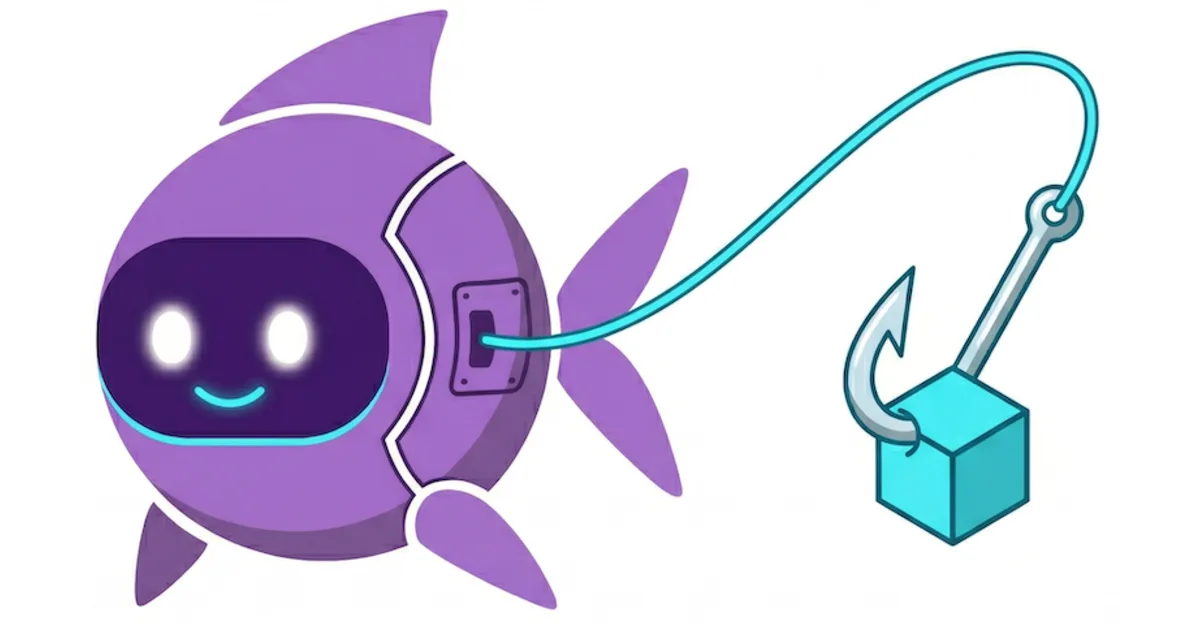
Gobii delivers the event to an existing persistent agent.
The agent keeps its tools and review rules. Teams that build agents into a product can use Gobii's AI Agent API to control lifecycle, files, and long-running context while outside events start the work.
Key Takeaways
- One secret POST URL wakes a specific persistent agent.
- Payloads can use JSON, plain text, form data, multipart data, or file uploads. No custom Gobii schema is needed.
- Use the Agent API to manage an agent. Use a webhook to start its work from an outside event.
- Begin with safe tasks such as summaries and drafts. Require human approval before the agent sends messages, moves money, or changes important records.
What Is an Inbound Webhook for an AI Agent?
An inbound webhook is a secret URL that accepts an HTTP POST. It sends the event to one persistent agent and adds it to that agent's timeline. Gobii then queues the work (Gobii Inbound Webhooks, 2026). No one has to open chat. Persistence changes what happens next: instead of a one-off request, the event reaches an agent that already has a charter, chat history, files, tools, and rules. For example, a support event may include an account ID and issue summary, while the agent keeps the operating rules set before that event arrived. Gobii records those details in the timeline. From there, the agent can choose its next step within its charter and approval rules.
How Does an Event Become Agent Work?
Four steps turn an outside event into agent work. Another system first detects a change and sends a payload; Gobii records the event in the timeline, then queues the agent. Success returns accepted: true and a message ID (Gobii Inbound Webhooks, 2026).
- A source detects an event. It may be a form, CRM, billing app, meeting tool, or internal service.
- That source sends the webhook. Its
POSTincludes only the facts the agent needs, plus stable IDs and a source link when available. - Gobii records the event. The payload enters the timeline, and the agent joins the work queue.
- Your agent follows its standing instructions. It might research the account, make a short summary, prepare a draft, use an allowed tool, or stop for approval before a sensitive action.
Keep the webhook focused on the new event; put lasting rules in the agent's charter or Custom Instructions so payloads stay easy to reuse and agent behavior stays easy to review.

Choosing Between Webhooks, Schedules, the Agent API, and Remote MCP
Five surfaces serve different jobs. Inbound webhooks send outside events to an existing agent, while schedules handle repeat work. The Agent API manages persistent agents; Remote MCP connects outside AI clients; task callbacks report when legacy browser tasks end (Webhooks and Events, 2026).
| When work should begin | Use this surface | Why |
|---|---|---|
| Another system reports a new event | Inbound webhook | Wake one existing agent with the event payload |
| Work repeats on a known cadence | Agent schedule | Run daily, hourly, or from a cron-like schedule |
| Your application manages agent lifecycle | Agent API | Create, update, activate, message, and inspect persistent agents |
| Claude, Codex, or another AI client operates Gobii | Remote MCP | Let an MCP-capable client manage or message agents |
| A legacy browser task reports completion | Task callback webhook | Receive completed, failed, or cancelled task results |
Manage workers with the Agent API. Send an inbound webhook when a business event should wake one of those workers and place fresh data in its timeline. The Agent API docs cover /api/v1/agents/, schedules, messages, state, and timelines. For all developer options, see Build With Gobii. This pairing is an agentic API pattern: the Agent API owns the persistent worker, while the webhook feeds it real-time events.
Already have a supported SaaS connector? A one-click agent integration may be faster to set up. Choose a webhook when the source can send HTTP events and does not need its own connector.
What Should an AI Agent Webhook Payload Include?
Gobii accepts five payload types. Use JSON, form data, multipart form data, plain text, or file uploads. No custom schema is required. Short fields, stable IDs, and source links still help the agent understand the event (Gobii Inbound Webhooks, 2026). Good payloads answer three questions. What happened? Where did it happen? What facts does the agent need to start? Include an event name, source, record ID, useful fields, and a link to the source record when possible. Leave out private keys, unrelated secrets, and personal data the task does not need.
For example, a support system could send:
curl -X POST "$GOBII_WEBHOOK_URL" \
  -H "Content-Type: application/json" \
  -d '{
    "event": "support.ticket.created",
    "source": "helpdesk",
    "ticket_id": "TKT-1842",
    "account_id": "ACCT-42",
    "summary": "Customer cannot complete SSO setup",
    "source_url": "https://support.example.com/tickets/TKT-1842"
  }'
Standing instructions define the workflow. They might tell the agent to inspect the account, sum up the issue, write a draft, and seek approval before sending. Meanwhile, the payload supplies only the new event.
Event-Driven Workflows You Can Build
Gobii's product guide lists six common triggers: forms, support tickets, billing events, meeting notes, CRM updates, and project events. Each event is small. Yet it can wake a persistent agent and provide the facts needed for a reviewable next step (Gobii Inbound Webhooks, 2026).
Lead qualification
Form submissions can start company research and fit checks. Your agent may attach sources and write a first-touch draft, then give it to a seller for review.
Support triage
New tickets can start account research, issue tags, and a suggested reply. History helps. Since the agent keeps earlier customer context, it can connect the new issue to a longer account story.
Meeting follow-up
When a meeting tool finishes a transcript, it can send the summary and source link. Gobii can then pull out decisions, list action items, and draft follow-up notes. Review comes first. Approval still stands between the draft and any outside update.
CRM and billing operations
Stage changes, renewals, and failed payments can start internal research or a draft reply. Separate secrets help. Give each major source its own webhook so teams can audit, rotate, and revoke it without touching other sources.
While building Gobii's inbound event path, we kept event data in the timeline and lasting rules in the agent charter. That was deliberate. It gives us two clear records to inspect: the payload shows what the source sent, and the charter shows how the agent was told to respond. A bad field is easier to spot before an agent touches another system. Start with a draft, summary, or classification; add tool actions only after the payload and instructions work as planned. This follows the same layered model we use when sandboxing AI agents in production.
What Else Should You Know About AI Agent Webhooks?
Watch four things after setup. Gobii accepts five payload types. Each generated URL holds a secret token. You can rotate each secret on its own, and accepted events stay visible in the timeline. Gobii returns 403 for a bad secret and 409 for an inactive webhook (Gobii Inbound Webhooks, 2026).
Does an inbound webhook need a special JSON schema?
No custom schema. Gobii accepts JSON, form data, multipart form data, plain text, and file uploads. Stable field names and source IDs help the agent, but no Gobii-specific schema is required.
Can a webhook create a new AI agent?
Not by itself. An inbound webhook targets an existing agent. Use Gobii's Agent API to create, configure, activate, update, or inspect persistent agents. Once the agent exists, a webhook can wake it whenever another system finds new work and sends the event data.
Can an inbound webhook include a file?
Yes. Send files as multipart form data. Keep the payload focused, and leave out private keys, unrelated secrets, and personal data the task does not need.
How should I secure an AI agent webhook?
Treat the full webhook URL like a password because it contains a secret token. Keep it private. Leave it out of chat and public logs; use a separate webhook for each major source, rotate leaked secrets, and require approval for sensitive actions.
Sources
- Inbound Webhooks, Gobii product docs. Retrieved July 16, 2026.
- Webhooks and Events, Gobii's map of inbound, outbound, callback, and API event paths. Retrieved July 16, 2026.
- Developer Agents and Agent API, Gobii developer docs for creating agents, sending messages, managing schedules, checking state, and reading timelines. Retrieved July 16, 2026.
- Build With Gobii, Gobii's broad developer guide to the Agent API, browser task API, webhooks, Remote MCP, CLI, JavaScript SDK, and Python SDK. Retrieved July 16, 2026.
About the Author
Will Bonde works across Growth & Engineering at Gobii, where he helps shape the platform and how its browser-native agents serve customers. Meet Will and the rest of the Gobii team.