Connect AI agents to apps with one-click integrations
Learn how Gobii AI agent integrations connect apps, scope access, and support safer workflows across spreadsheets, CRMs, chat, webhooks, and developer tools.
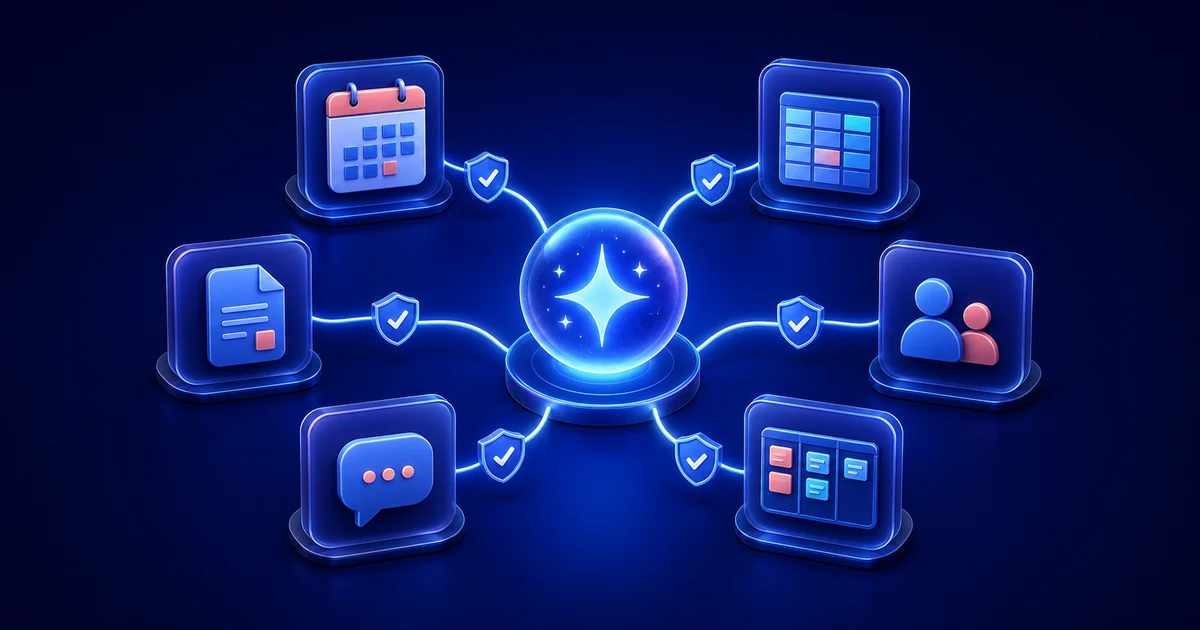
An AI agent can plan a workflow perfectly and still stall when it reaches the calendar, spreadsheet, CRM, or project board where the work actually lives.
Gobii's AI agent integrations close that gap. Connect a supported app, make the capability available to the right Gobii, and the agent can use that tool as part of a longer-running job. You keep control of the account connection, access boundary, and any approval required before a sensitive action.
Key takeaways
- Connected apps give a Gobii access to external services.
- "One-click" describes the guided setup path, not unlimited reach: OAuth scopes, selected files, provider permissions, and Gobii assignment still define the resources and actions available.
- App tools, inbound webhooks, Remote MCP, and the Agent API solve different problems. Match the surface to the direction of work.
What Is a One-Click AI Agent Integration?
A one-click AI agent integration is a guided connection that gives an agent access to a supported external service without requiring you to build and maintain the authentication flow yourself. Depending on the app, setup may use OAuth, an API credential, a native Gobii connection, or a Pipedream-backed app connection.
That distinction matters in production.
The linked account provides access to the outside service. The Gobii gets tools that can act through that account. Neither creates a useful workflow alone. The charter and current instruction must still define the job, relevant data, and point where the Gobii should stop for review. Gobii's Connect Apps documentation recommends connecting a service only when the role needs it. That keeps each worker's reach easy to understand. Tools and Apps explains how built-in tools, linked services, MCP servers, and system skills fit together. Pipedream Connect provides managed sign-in and app actions for products and AI agents. Gobii puts those actions inside the agent experience, so routine access does not require a separate workflow builder.
How Do You Connect an App to a Gobii Agent?
You can start from the integrations page or from chat. When a Gobii discovers that a requested task needs an unconnected app, it may present a connection card or send you to the relevant setup flow.
The standard path is:
- Open the Gobii that needs the service.
- From Settings, choose Integrations & MCP, then select Add Apps to open the catalog.
- Search for the provider you need.
- Choose Connect for a native service or Manage Connections when the catalog needs you to select accounts and agent-level assignments.
- Complete the provider's authorization or credential flow.
- Enable the new account for the appropriate Gobii if the interface asks you to choose one.
- Return to chat with a narrow read-only test that produces an easy-to-check result before you allow writes.
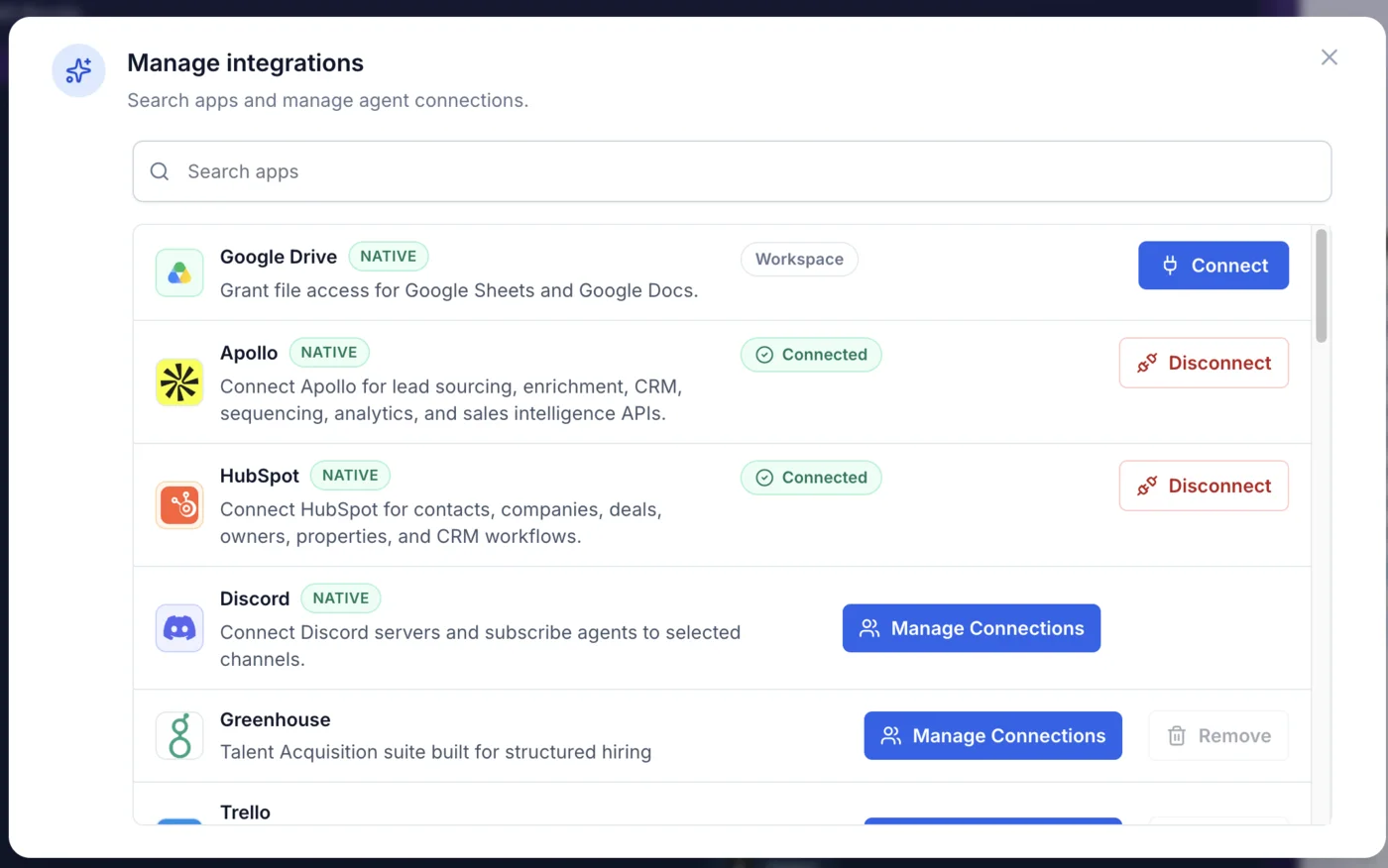
The Manage integrations dialog separates native connections from other available apps and shows whether each connection is ready to use.
The final test matters. Ask for something small and observable, such as listing the tabs in an approved spreadsheet or returning the name of one known CRM record. Then review the timeline for tool activity, missing permissions, or pending requests. Some services add another boundary after authorization. For example, Gobii's Google Sheets guide explains that an existing spreadsheet must be selected through Google Drive before the Gobii can find or update it. Connecting Google does not give the agent a general-purpose view of every file in Drive.
What Can Connected AI Agents Do?
A linked service gives the Gobii somewhere concrete to work. Instead of stopping at chat, it can carry context and results across business systems. The useful question is not "How many apps are available?" It is "Which systems does this role need to finish its job?"
| Workflow | Connected capability | Safer first request |
|---|---|---|
| Spreadsheet reporting | Read, create, append, format, or chart selected Google Sheets | "List the tabs and column headers. Do not edit anything." |
| CRM operations | Search contacts, companies, deals, owners, properties, and pipelines in HubSpot | "Find five matching records and show the filters you used." |
| Lead research | Use Apollo for sourcing, enrichment, and supported sales-intelligence workflows | "Research these three companies and return sources before saving data." |
| Team communication | Work with selected Discord channels and the files, images, links, or messages shared there | "Summarize this thread. Do not post or create records yet." |
| Project coordination | Read or update tasks through an enabled project-management app | "Show overdue tasks and propose updates before changing them." |
In practice, each row can become one step in a larger workflow. A sales Gobii might research a company, compare the findings with CRM data, and draft an update. It can then wait for approval before saving anything. An operations Gobii could read a spreadsheet, check a web source, and add only validated results. The integration supplies capability; the charter supplies purpose. For setup details, use the guides for Google Sheets, HubSpot, Apollo, and Discord. Developers manage the persistent worker through Gobii's Agent API. From their own software, they can use this agentic API to create, schedule, message, inspect, update, or pause a Gobii without replacing its assigned app tools. App integrations widen capability. The Agent API manages lifecycle.
How Should You Scope Permissions and Approvals?
The Connect button is only the entry point. Effective access comes from the full chain of provider scopes, selected resources, Gobii assignment, available actions, and human approval.
When we built the current integrations workspace, we found that "connected" or "not connected" was too blunt a debugging model. Authorization can succeed while agent assignment or resource selection remains incomplete. The five-layer model below is how we locate the actual access boundary:
- Provider authorization: Confirm the approved account and OAuth scopes.
- Resource selection: Check whether access narrows to named files, chosen channels, approved folders, or another bounded collection inside that account instead of exposing the provider's full workspace.
- Gobii assignment: Identify the workspace or worker that receives the tool.
- Available action: Determine whether the capability can only read or can also create, update, send, and delete.
- Human approval: Mark the consequential actions that must wait for confirmation.
OAuth success proves only that authorization completed. It neither grants everything nor guarantees safety; real access depends on the provider's permissions, selected resources, and the action the Gobii is about to take.
Start with a read. Then narrow the resource set where the provider supports it and request a preview before bulk changes. Outreach, posting, deletion, purchases, account changes, and broad CRM or spreadsheet edits deserve explicit confirmation. Gobii's Approvals and Requests guide recommends checking who, what, where, and for how long before approving sensitive work.
Keep keys out of chat. When a service uses an API key instead of OAuth, Gobii's Secrets and Credentials flow stores that value outside the conversation transcript and makes its purpose easier to audit.
These controls complement the isolation practices described in how we sandbox AI agents in production. Sandboxing limits what execution can reach; integration permissions limit what an authenticated tool can reach. Production workflows need both.
Choosing Between App Integrations, Webhooks, MCP, and the Agent API
Gobii exposes several integration surfaces because "connect my system to an agent" can mean very different things. Use the surface that matches the direction of work.
| You need to… | Use | Why |
|---|---|---|
| Let a Gobii use a SaaS product | Connected app | The external service becomes a tool the agent can use during its work. |
| Wake a Gobii when your system emits an event | Inbound webhook | Your system sends an event into a specific Gobii without waiting for a person to start chat. |
| Let an external AI client manage or message Gobii | Remote MCP | An MCP-compatible client reaches Gobii over an authenticated endpoint. |
| Create, schedule, message, inspect, or pause agents from software | Agent API | The API manages the persistent agent resource and its lifecycle. |
| Let a Gobii participate in a Discord channel | Discord integration | The native bot and selected channel subscriptions make Discord an inbound and outbound collaboration surface. |
For event-driven work, pair inbound webhooks for reactive agents with the current Webhooks and Events documentation to understand payload delivery, trigger direction, and safety controls. External AI clients need Remote MCP access for Gobii agents. Discord has its own channel integration guide.
Direction matters. A CRM integration calls tools; a webhook announces an event. The Agent API creates or manages the worker receiving that event, while Remote MCP gives another AI environment an authenticated route to it. One production workflow can combine all four surfaces. Give each one a single, legible job.
How Do You Troubleshoot an App Integration?
Most connection failures fall into one of five layers: availability, authorization, assignment, resource access, or action permissions. Check them in that order.
- The app is missing: Confirm that the integration is available in the current personal or organization workspace.
- The app is connected but the Gobii cannot use it: Check whether the connection is enabled or assigned to that Gobii.
- Authorization expired: Reconnect the provider. For file-scoped integrations, reselect the required resources if the product asks you to.
- Reads work but writes fail: Three causes are common: the account lacks a provider permission, the action requires another OAuth scope, or the Gobii is waiting for approval.
- An app event does not wake the Gobii: A connected app action and an inbound trigger are different capabilities. Verify that the app supports a trigger or use the documented webhook surface.
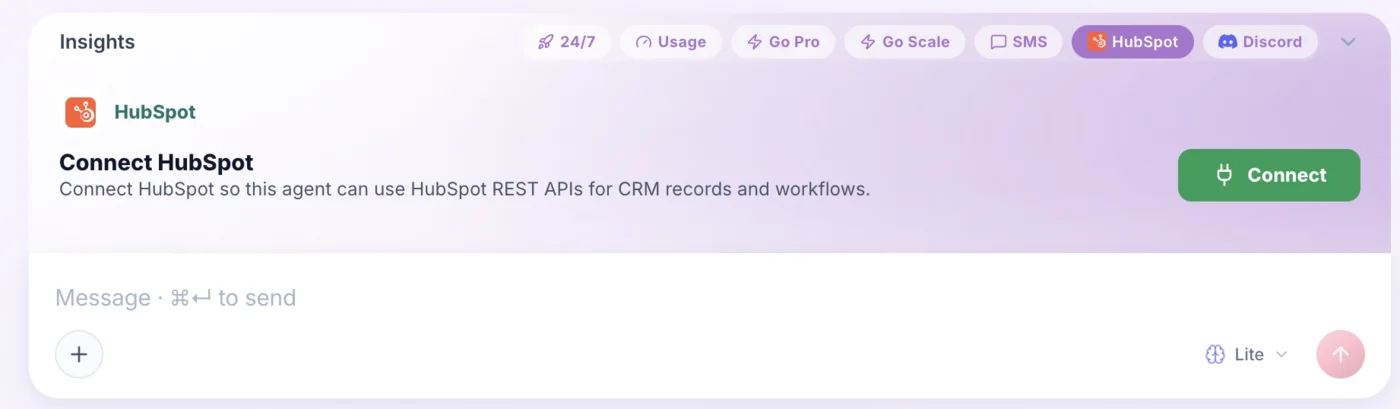
A Gobii can surface a just-in-time connection card when the current task requires an app that is not connected yet.
Ask for the failure details. The Gobii can name the attempted tool, requested resource, and provider response. That evidence exposes stale grants, scope mismatch, bad routing, or another broken layer faster than repeatedly reconnecting every account.
Frequently Asked Questions About AI Agent Integrations
Do AI agent integrations always require an API key?
No. OAuth handles many connections. The provider approves access, then returns you to Gobii with the grant in place. Other services require an API key or a different credential, which belongs in the secrets flow rather than chat.
Can every Gobii use the same connected app automatically?
Not necessarily. Availability depends on whether the integration belongs to a person, an organization workspace, or a specific assignment. Grant the service only where the role needs it. Test that Gobii next.
Can a connected app trigger an agent automatically?
Some app flows support inbound events or subscriptions, but behavior varies by app and deployment. If your own system needs to trigger a Gobii reliably, start with the documented webhook options instead of assuming every app action also provides a trigger.
Can I create app connections through the Agent API?
Use the Agent API for the documented lifecycle of persistent workers. Create linked accounts through Gobii's supported UI or a public endpoint that the developer documentation explicitly names and supports. Avoid private console routes.
Sources
Primary references: Connect Apps, Tools and Apps, the Agent API, Webhooks and Events, and the Pipedream Connect overview.
About the author
Will Bonde is a software engineer at Gobii who works on the product and integration experience behind persistent AI agents. Learn more about Gobii and the team.