
Your AI agent's browser just learned files
Gobii Browser Intelligence lets agents capture webpage screenshots, save browser downloads, and analyze visual files with vision AI.
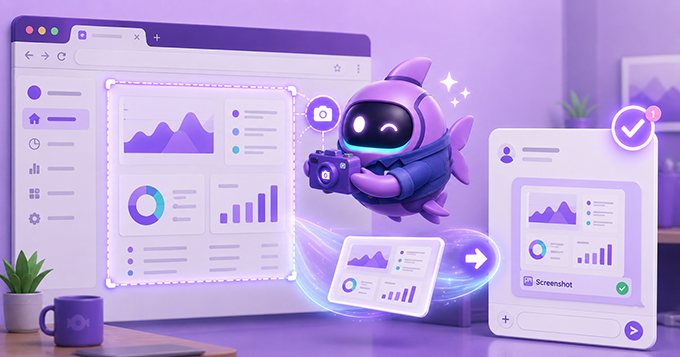
Until this update, Gobii agents could browse the web, but they could not fully preserve what they saw or use the files they downloaded.
That gap is now closed. Browser Intelligence gives agents a fuller loop: capture the page, save the artifact, and understand the visual content inside it.
Quick Summary - Agents can capture webpage screenshots through a headless browser and save them to filespace. - Browser downloads, PDFs, and generated files can persist for the rest of the task. - Image files can route through vision AI so agents can describe, compare, and act on visual content.
What Browser Intelligence Adds
Browser Intelligence makes Gobii agents more useful for visual and file-heavy web work. Agents can now see the web, save what they find, and inspect visual artifacts instead of treating browser output as temporary state.
That matters because a lot of web work is not just text on a page. Pricing tables, dashboards, design changes, charts, screenshots, PDFs, invoices, and exported reports all carry information an agent needs to keep using after the page changes or the browser session moves on.
For the production safety model behind browser-capable agents, see how we sandbox AI agents in production.
Screenshot Capture
Agents can take screenshots of any webpage through a headless browser and save them directly to filespace.
That makes visual QA, design review, and competitive monitoring possible without a human manually capturing every screen. An agent can visit a page, capture the current state, and keep that screenshot available as evidence for the rest of the task.
Screenshots also make agent output easier to verify. They give you something concrete to inspect when an agent says a layout changed, a competitor updated pricing, or a dashboard showed a new result.
Browser File Capture
Downloads, PDFs, and generated artifacts from the browser can now persist. When an agent finds a useful file online or creates something during browser work, it can keep that file available for the rest of the task.
This builds on Gobii's broader file support, where agents can read and create files instead of forcing you to move documents around manually.
The practical difference is small but important: browser work no longer ends when the page closes. A downloaded report, captured PDF, or generated export can become part of the agent's ongoing context.
Vision-Capable Files
When an agent reads an image file, Gobii routes it through multimodal AI so the agent can analyze what it sees.
No more "here is a binary file, good luck." Your agent can describe, compare, and act on visual content.
That opens up workflows where the important information is visual: screenshots, charts, mockups, receipts, dashboards, product pages, and UI states that do not reduce cleanly to text.
The Capture, Save, Understand Loop
These features shipped together because they are most powerful as a loop. Agents can capture the web, save what they capture, and understand it visually.
That loop also makes agent results easier to trust. A screenshot can support a finding. A file can carry the source data forward. Vision AI can interpret what a human would normally have to inspect by hand.
The next step after capture is dependable delivery, which is why this update pairs naturally with the later reliability work for files, messages, exports, and reports.
What You Can Build Today
QA and Visual Regression
Your QA agent can navigate your app, screenshot key screens, analyze each image with vision AI, and flag visual regressions while you sleep.
Competitive Intelligence
An agent can visit competitor pricing pages, capture screenshots, route them through vision models, and build a comparison report. Screenshots keep the evidence attached to the analysis.
Design Review
Your design review agent can check every page in your funnel, compare against mockups, and report discrepancies.
Research And Reporting
An agent can gather PDFs, exports, charts, and screenshots while researching a topic, then use those artifacts in a written report. If the workflow needs charts afterward, Gobii agents can also turn collected data into visualizations.
The browser just became a first-class agent sense. And this is only the beginning.