Watch your agents work in real time
Gobii streams AI agent activity in real time so teams can watch research, extraction, analysis, and writing unfold as tasks run.
Agent work should not feel like dropping a request into a black box.
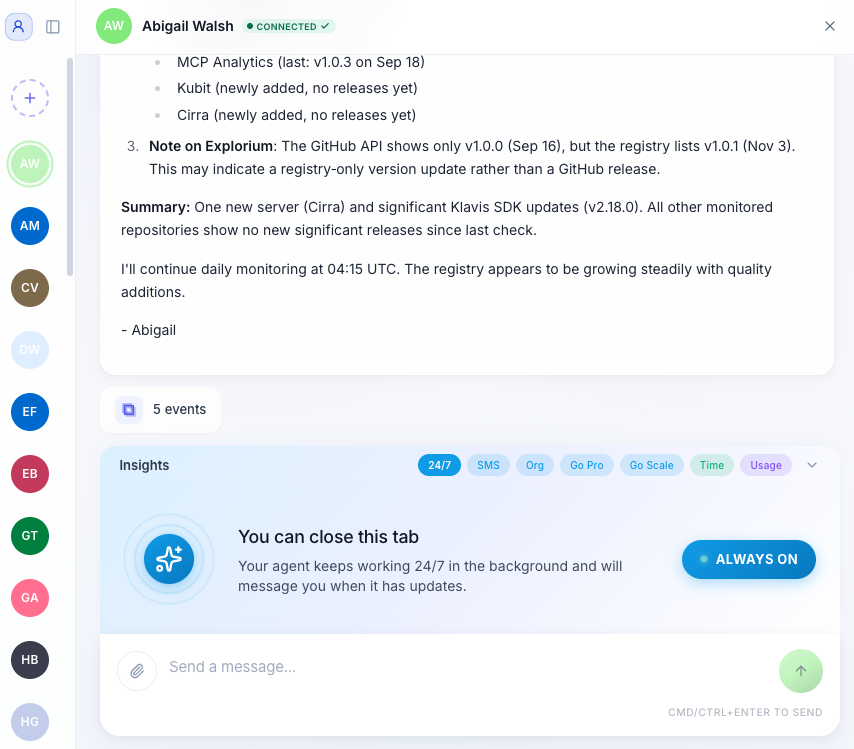
Gobii now streams agent activity in real time, so you can watch research, extraction, analysis, and writing unfold as the task runs. Instead of waiting for a finished wall of text, you can see the work take shape step by step.
Why Real-Time Visibility Matters
Long-running agent tasks are easier to trust when you can see progress. If an agent is researching the wrong thing, pulling from the wrong source, or taking a path you did not expect, live visibility gives you a chance to course-correct earlier.
It also makes the console feel more responsive. You know the agent is working because you can see what it is doing.
What's New
Real-time streaming
Watch research queries fire, data get extracted, and analysis take shape as it happens. No refreshing required.
Instant agent switching
Running multiple agents? Jump between them in a single click. You can monitor a market research agent while a recruiting pipeline continues in the background.
Better collaboration loop
When agent work is visible, it is easier to understand, interrupt, redirect, or build on the result.
The best tools feel fast because they show progress clearly. This update makes Gobii feel more immediate without changing how agents do their work.