Chat with your persistent agents - right in the browser
Gobii Web Chat lets teams talk to persistent AI agents in the browser, view tool activity in real time, and manage work from mobile.
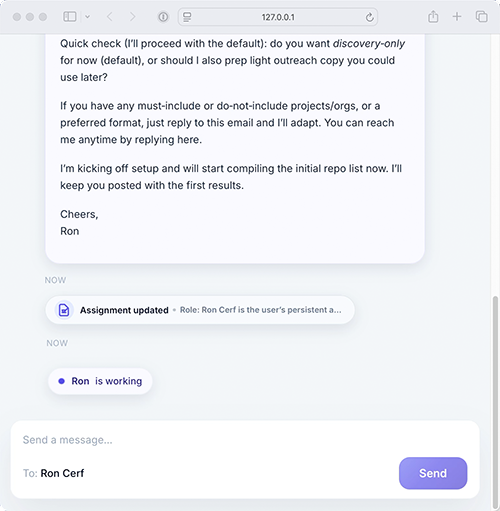
Meet Gobii's new Web Chat UI — the easiest way to talk to your agents without ever leaving your browser.
No email threads, no text messages. Open chat, type, and go. You can see your agents' tools and actions in real time, and it works with your existing agents, including on mobile.
Why Web Chat Helps
Persistent agents often keep working across tasks, messages, and follow-ups. Web Chat gives you a central place to check in, redirect work, and continue the conversation from the browser.
It is especially useful when you want a fast back-and-forth without switching to email or SMS.
How To Open It
Go to your agents, choose an agent, then select "Talk to Agent" and "Open Web Chat."